VS.Net 2005 AddIns
VS.Net add-ins are being installed by default to My Documents\Visual Studio 2005\AddIns folder.I’ve got a roaming profile at my work computer and My Documents folder is located on a remote drive, which, in its turn, causes all the add-ins to fail during load due to trust issues.
Simplest solution is to move add-ins to a new location and then change your VS.Net 2005 settings via Tools >> Options >> Environment >> Add-in/Macros Security:
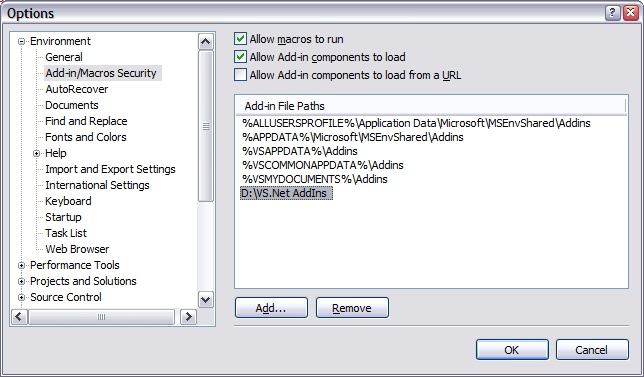
Hit OK, restart your Visual Studio and voila!
No Comments »
No comments yet.
RSS feed for comments on this post. TrackBack URL

